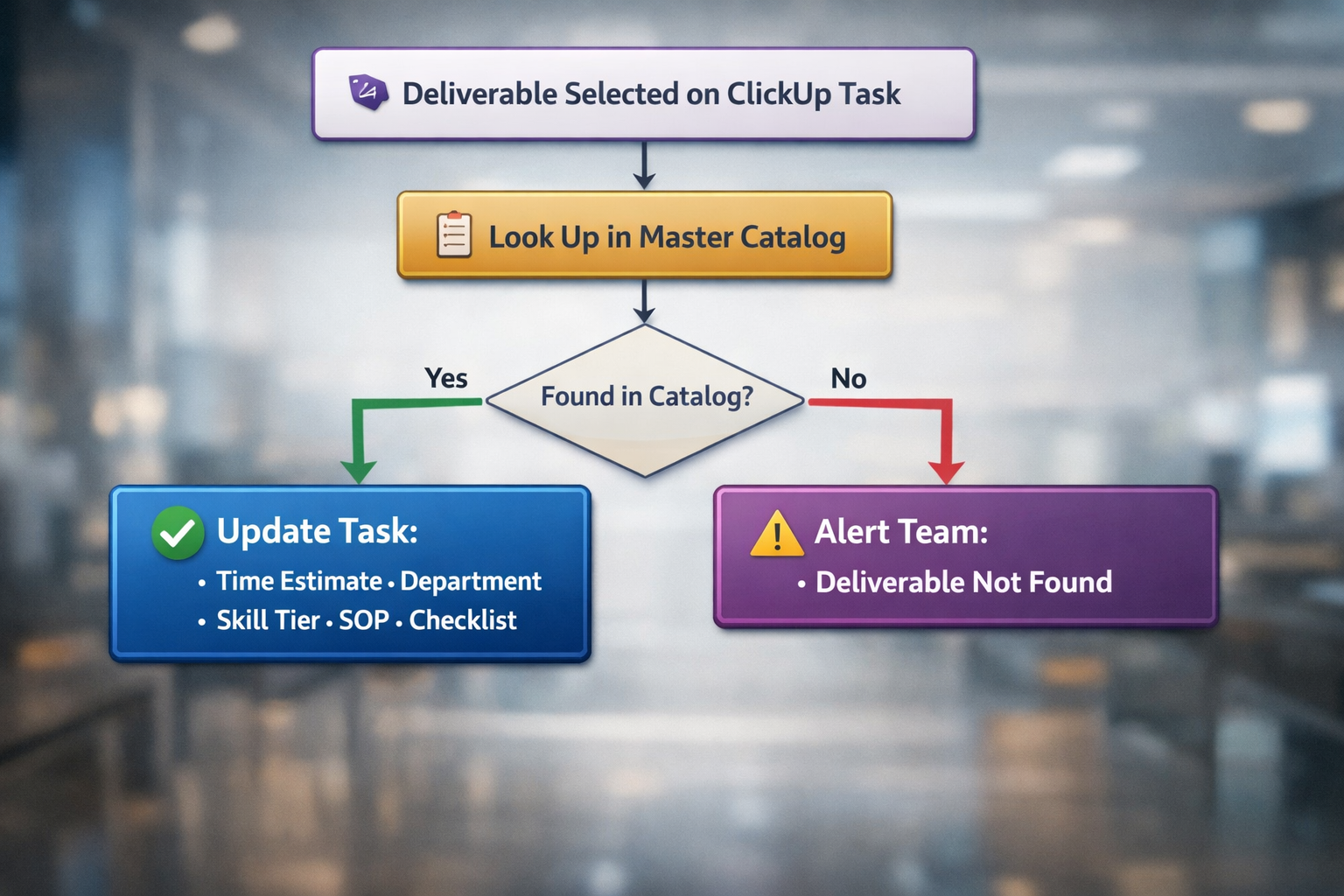
An agentic automation that enriches ClickUp tasks the instant a work deliverable is selected, pulling the time estimate, department assignment, skill tier, SOP documentation, and step-by-step checklist from a master catalog and writing it all directly to the task, so every assignment arrives fully configured without anyone copying and pasting from a reference sheet.
The Problem
Every agency has a catalog of services: the things they deliver, each with a standard time estimate, a department responsible for it, a skill level required, a standard operating procedure, and a checklist of steps to complete. This information exists somewhere. A spreadsheet. A wiki. A shared doc. The head of someone who's been there three years.
The problem is getting that information onto the actual task where the work happens. In most project management setups, this looks like one of two approaches, and both break at scale.
The first approach is task templates. You create a template for each deliverable type, and when someone creates a task, they pick the right one. This works for five deliverable types. It becomes unmanageable at 50 or 100. Need to change the SOP for one deliverable? You update one template. Need to change the time estimate across 30 deliverables? You're editing 30 templates one by one. Need to add a new checklist step to every task in a department? That's a morning's work, and someone will miss a few.
The second approach is reference documents. The SOPs live in a shared doc or wiki. Someone creates a task, then opens the reference doc, finds the right deliverable, copies the checklist, pastes it into the task, manually sets the time estimate, assigns the department, and hopes they got the right version. This works when the team is three people. It falls apart when it's fifteen people doing it fifty times a week. And the person who built the reference doc? They left six months ago, and nobody's sure if the version in the shared drive is current.
Both approaches share the same fundamental flaw: the source of truth for how work gets done is disconnected from the tasks where the work actually happens. Updates to the source don't propagate to the tasks. And applying that information to each task is manual, repetitive, and prone to the kind of small errors that compound into unreliable time estimates, missing SOPs, skipped checklist steps, and reporting data that can't be trusted.
What you actually need is a single master catalog that automatically populates a task with everything the assignee needs to know, the moment the deliverable type is selected.
How It Works
Step by Step
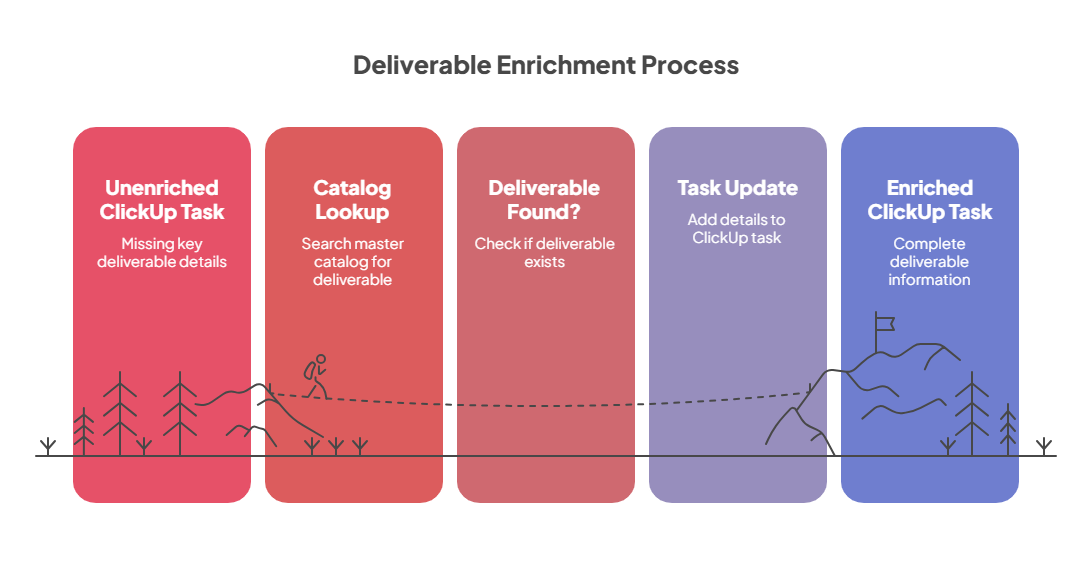
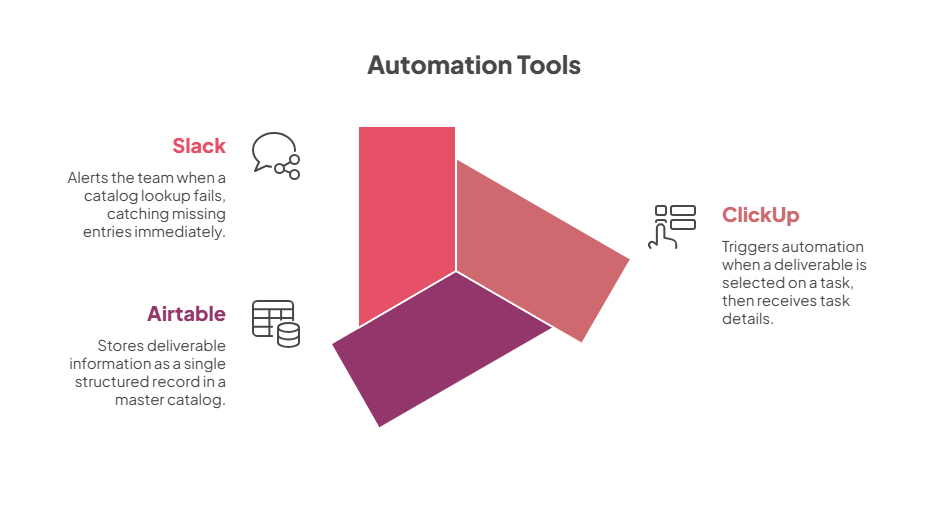
A work deliverable is selected on a ClickUp task. When someone adds or changes the deliverable field on a task, selecting "Blog Post - 1000 Words" or "HubSpot Workflow Build" or any other service from the catalog, the automation triggers immediately with the task details and the selected deliverable name.
The automation looks up the deliverable in the master catalog. A single Airtable base holds the complete catalog of every deliverable the agency offers. Each record contains the SKU code, the standard time estimate, the department assignment, the skill tier, the full SOP documentation (formatted and ready to use), and a list of checklist items. The automation searches for an exact match on the deliverable name.
The task is updated with everything from the catalog in a single operation. Six pieces of data are written to the ClickUp task at once. The time estimate is set from the catalog so scheduling and burn calculations are accurate from the moment the task is configured. The department and skill tier are written to their respective fields so reporting, filtering, and assignment routing work automatically. The SKU code is recorded for cross-referencing with billing and capacity systems. The full SOP is appended to the task description so the assignee has the complete standard operating procedure right on the task without opening another document. And a named checklist is created on the task with each step from the catalog as a separate item, ready to be checked off as the work progresses. If the task already had a checklist from a previous selection, the old checklist is removed first. No stale steps left behind.
If the deliverable isn't found, the team is alerted. When a deliverable name doesn't match any record in the master catalog, a message is posted to the team's Slack channel with the details. This catches typos, new deliverables that haven't been added to the catalog yet, or data mismatches between systems. Nothing falls through silently.
The Outcome
Before |
After |
|---|---|
| Creating a properly configured task requires looking up SOPs, estimates, and checklists manually | Selecting a deliverable populates everything automatically in seconds |
| Updating an SOP means editing task templates one by one across dozens of deliverables | Updating the catalog record updates every future task instantly |
| Time estimates are guessed or looked up from a reference doc and typed in | Time estimates come directly from the master catalog, consistent every time |
| Checklists are copied and pasted (or forgotten entirely) | Checklists are generated dynamically from the catalog with every step included |
| Bulk changes to estimates, SOPs, or departments across deliverables take hours | Bulk changes in the catalog take minutes: filter, update, done |
| New team members don't know where to find SOPs or how long tasks should take | Every task arrives fully configured: the SOP is on the task, the estimate is set, the checklist is ready, zero-touch |
What this means in practice
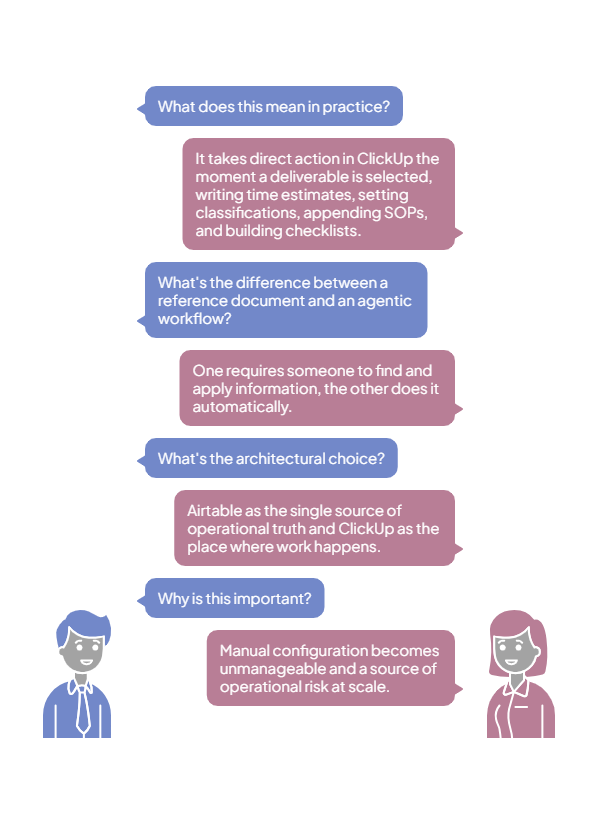
This is not a lookup tool or a reference system. It takes direct action in ClickUp the moment a deliverable is selected: writing time estimates, setting department and skill tier classifications, appending full SOPs to the task description, and building checklists item by item. The task goes from empty to fully configured in seconds, with no human copying, pasting, or formatting. That's the difference between a reference document and an agentic workflow. One requires someone to find the information and apply it. The other does it automatically, every time, without variance.
The architectural choice is the key insight: Airtable as the single source of operational truth for how work gets done, ClickUp as the place where work happens. Airtable is purpose-built for structured data management: filtering, sorting, bulk editing, relational views. ClickUp is purpose-built for task execution. By keeping the catalog in one system and pushing it to the other on demand, you get the best of both. Easy maintenance where the data lives. Fully configured tasks where the work happens. When you update an SOP in the catalog at 9 AM, every task that gets that deliverable selected at 9:01 AM gets the updated version. No sync delay. No batch update to run. No "make sure you're using the latest template."
At 5 deliverable types and 3 team members, manual configuration is manageable. At 50+ deliverable types and 15 team members creating 200 tasks per month, the inconsistency compounds into unreliable burn reports, missing process steps, and onboarding nightmares for new hires who don't know where anything lives. Scale that to an agency with 100+ SKUs across multiple departments and the manual approach isn't just slow. It's a source of operational risk. This automation turns the catalog into infrastructure that configures itself, every time, regardless of who creates the task or when.
Systems Involved
Why This Matters for Agencies
The agencies that scale successfully are the ones that systematize their service delivery. Consistent time estimates feed accurate burn reports. Consistent SOPs feed quality output. Consistent checklists feed reliable completion. But systematization only works if the standards are actually applied to every task, every time. The moment it depends on someone remembering to copy from the right document, consistency erodes. One person skips the checklist. Another uses last quarter's time estimate. A third can't find the SOP and wings it.
This automation turns the master catalog into a single source of operational truth that enforces itself. Every ClickUp task, no matter who creates it, when they create it, or which deliverable it's for, arrives fully configured with the current standard. The catalog is maintained in one place. The tasks configure themselves.