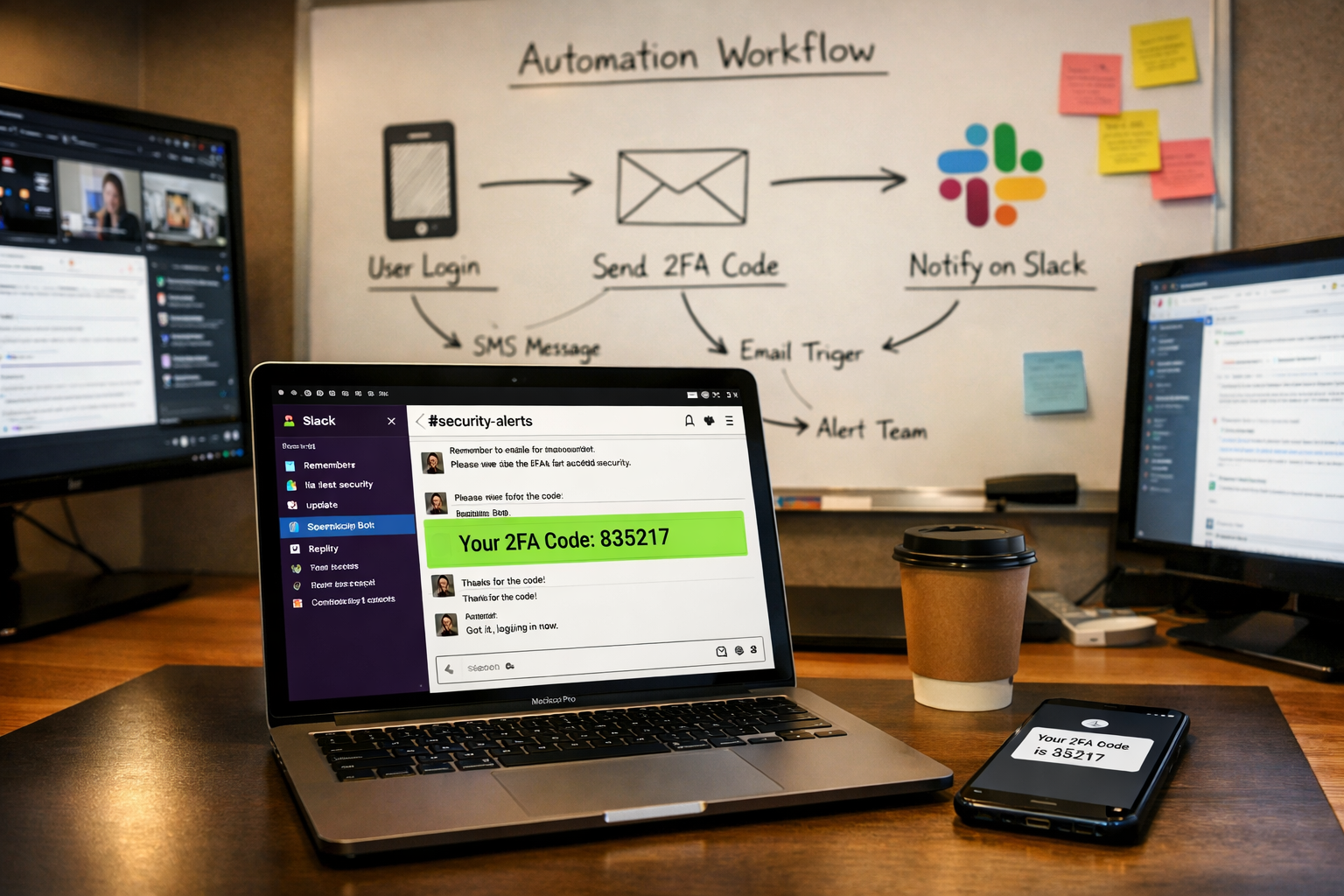
A utility workflow that captures incoming two-factor authentication codes and instantly posts them to a shared Slack channel, so your team can log into shared accounts without interrupting a colleague or waiting for a six-digit number.
The Problem
Your agency manages dozens of shared accounts: client ad platforms, analytics tools, vendor portals, social media dashboards, hosting panels. Many of these require two-factor authentication. The verification code gets sent to one person's phone number. That person becomes the involuntary gatekeeper for every login across the entire team.
Here's what actually happens, multiple times a day:
- A team member tries to log into a shared account and triggers a 2FA code
- They message the person whose phone number is on the account: "Hey, I just triggered a code. Can you send it to me?"
- That person stops what they're doing, checks their phone, reads the code, and relays it via Slack or text
- By the time the code arrives, it may have already expired
- They try again, and the cycle repeats
Now picture that person in a client meeting. Or on a call with a prospect. Or trying to finish a deliverable before EOD. Every interruption costs them context, focus, and the 10-15 minutes it takes to get back into deep work. They're not doing anything wrong. They're just the person whose phone number is on the account.
And the team member who needs the code? They're stuck. Maybe they send a follow-up message. Maybe they try a workaround. Maybe they just move on to something else and come back later, losing momentum on whatever they were doing.
It's a tiny friction point that creates two interruptions every time it occurs. Multiply that across every shared account, every day, across your entire team, and the cost in lost focus is anything but small.
How It Works
Step by Step
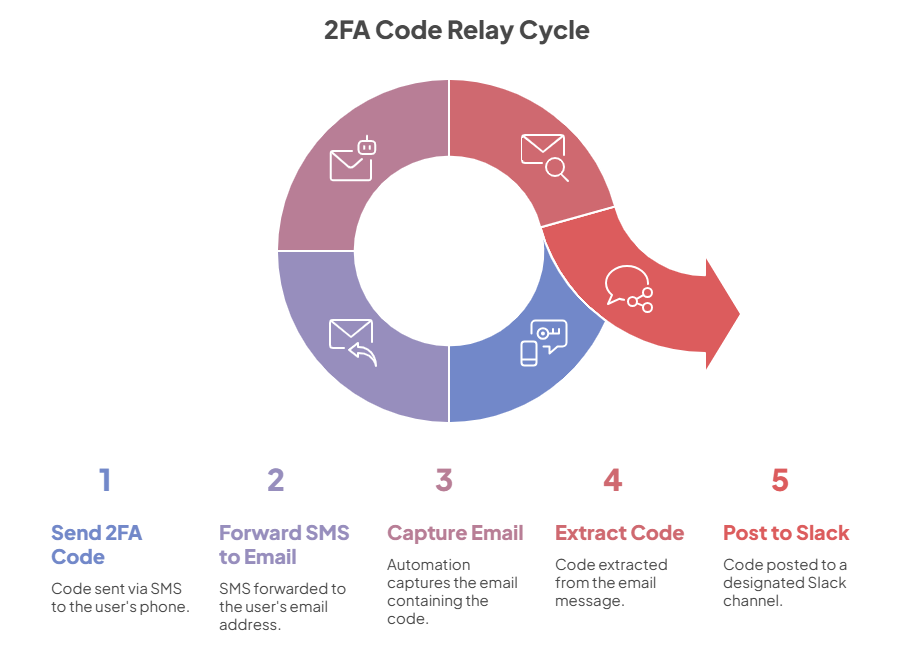
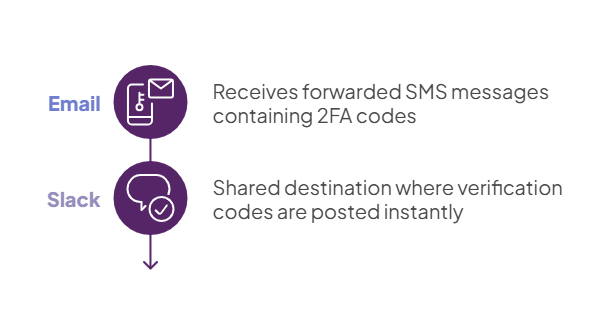
SMS codes are forwarded to a monitored email address. The phone number associated with the shared account has SMS-to-email forwarding enabled. When a 2FA code arrives via text message, it is automatically forwarded to a dedicated email address that the automation watches continuously.
The automation captures the email the moment it arrives. The system monitors the dedicated inbox and processes each forwarded message within seconds of delivery. No polling delays. The moment the email lands, the automation picks it up.
The verification code is extracted from the message. The system reads the email content and identifies the verification code, stripping away carrier formatting and email headers. What remains is the code your team actually needs.
The code is posted to Slack instantly. The extracted code is delivered to a shared Slack channel, formatted with the timestamp and the original message content. Anyone on the team can grab the code directly from Slack. No interruptions. No waiting. No asking.
Before |
After |
|---|---|
|
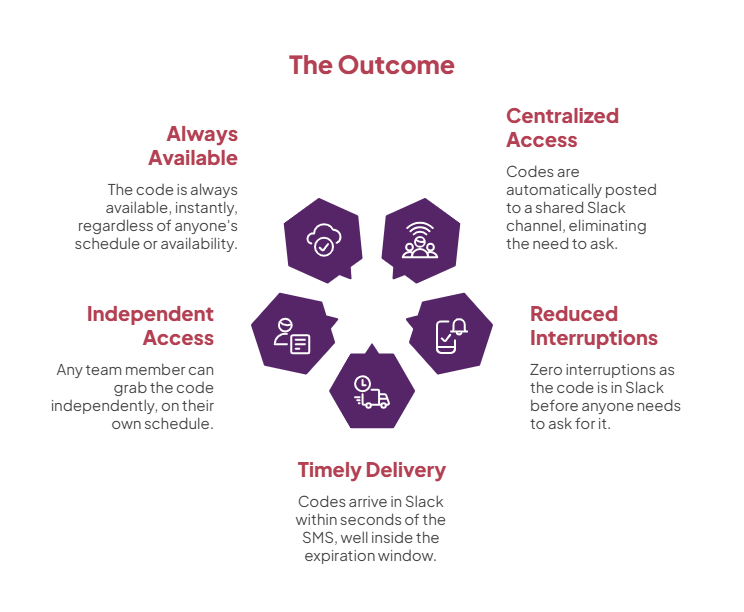
2FA codes go to one person's phone, and everyone else has to ask for them |
Codes are automatically posted to a shared Slack channel within seconds |
| The phone-number owner is interrupted multiple times a day to relay codes | Zero interruptions. The code is in Slack before anyone needs to ask |
| Codes expire while someone waits for a colleague to check their phone | Codes arrive in Slack within seconds of the SMS, well inside the expiration window |
| Logging into shared accounts requires coordination between two people | Any team member can grab the code independently, on their own schedule |
| The person with the phone becomes a bottleneck when they're in meetings, on calls, or offline | The code is always available, instantly, regardless of anyone's schedule or availability |
What this means in practice
This is a small automation with outsized daily impact. It eliminates a friction point that interrupts two people every single time it occurs. For agencies managing 20, 30, or 50+ shared accounts, with authentication events happening several times per account per week, those interruptions add up to dozens of broken focus sessions every single day.
The original phone number stays on the account. No vendor configurations need to change. No security practices are compromised. The codes are simply made available to the entire team through a channel they already monitor, and the relay happens in seconds without any human involvement.
At scale, this is the difference between one team member spending 30-45 minutes of fragmented time per day relaying codes and losing focus, versus a production-grade utility that handles it silently in the background. The time saved per individual event is small. The compounding effect across every shared account, every day, across your entire team is not.
Systems Involved
Why This Matters for Agencies
Two-factor authentication is a security requirement, not a workflow choice. Your agency can't turn it off, and you shouldn't want to. But the default implementation, where codes go to one person's phone and everyone else has to ask, turns a security feature into an operational bottleneck that fires multiple times per day.
This automation decouples the verification code from a single person's device and makes it available to the team in real time. It never forgets. It never misses a code. It never asks you to wait because it's in a meeting. It's the kind of production-grade utility that runs silently in the background, doing its job hundreds of times a month, and nobody thinks about it until it stops working. That's when the whole team is suddenly back to messaging someone for a six-digit number, and that's when you realize how much it actually mattered.